
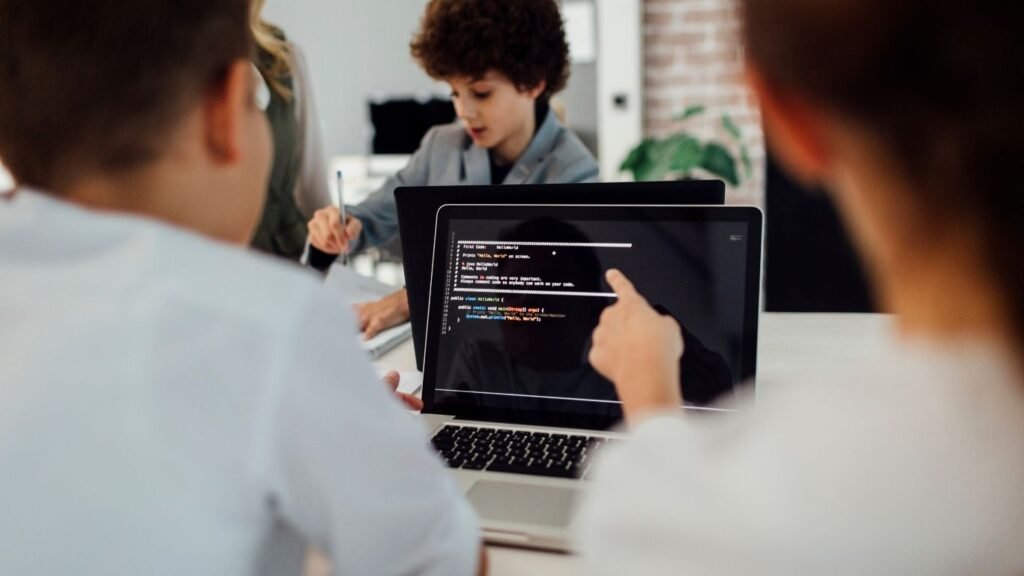
If you’ve been wondering how to start coding for kids at home, you’re not alone. More parents today want their children to build real-world skills early, and coding is one of the most valuable ones. But let’s be honest—it can feel overwhelming if you’re not from a tech background.
Here’s the good news: you don’t need to be a programmer to help your child begin. With the right approach, tools, and a bit of curiosity, you can turn coding into a fun, everyday learning experience right at home.
At EduPodz Junior, the focus is on making learning interactive, engaging, and age-appropriate—exactly what kids need when stepping into the world of coding.
Why Coding Matters for Kids Today?
Before jumping into how to start coding for kids at home, it’s worth understanding why it’s important.
Coding is not just about writing lines of code. It teaches:
- Logical thinking
- Problem-solving
- Creativity
- Persistence
Think of coding like learning a new language—except this one helps kids communicate with technology. And in today’s digital world, that’s a powerful skill.
Start With the Right Mindset (Not the Right Tool)
One common mistake parents make is focusing too much on tools and not enough on approach.
When thinking about how to start coding for kids at home, remember:
- Kids learn best through play
- There’s no rush to master anything
- Mistakes are part of learning
Instead of saying, “Let’s learn coding,” try:
“Let’s build a game together” or “Let’s make something fun.”
That small shift makes a huge difference.
Choose Age-Appropriate Coding Activities
Not all coding is the same. The way a 6-year-old learns is very different from a 12-year-old.
For Younger Kids (5–8 years)
Start with visual, block-based coding:
- Drag-and-drop interfaces
- Bright visuals and characters
- Story-based challenges
These tools help kids understand logic without worrying about syntax.
For Older Kids (9–14 years)
You can gradually introduce:
- Simple text-based coding
- Game development basics
- Real-world problem-solving projects
Programs offered through platforms like EduPodz Junior are designed to match these developmental stages, making learning smooth and enjoyable.
Create a Fun Coding Environment at Home
If you’re serious about how to start coding for kids at home, your environment matters more than you think.
You don’t need a fancy setup. Just:
- A quiet space
- A laptop or tablet
- Regular, distraction-free time
But here’s the key: keep it relaxed.
Avoid turning coding into another “homework task.” Instead, make it feel like a creative activity your child looks forward to.
Make Coding a Shared Experience
Kids learn faster when they feel supported. Even if you don’t know coding, you can still be involved.
Try this:
- Sit with your child during sessions
- Ask them to explain what they’re building
- Celebrate small wins together
When exploring how to start coding for kids at home, remember—it’s not about teaching, it’s about learning together.
Use Structured Programs for Better Progress
While free resources are great, structured programs can make a big difference.
Why?
Because they:
- Provide a clear learning path
- Keep kids engaged with interactive lessons
- Offer guidance from experienced instructors
EduPodz Junior is designed specifically with this in mind. Their approach blends fun with structured learning, so kids don’t just play—they actually progress.
Keep Sessions Short and Consistent
One of the most effective tips for how to start coding for kids at home is consistency over intensity.
Instead of long sessions:
- 20–30 minutes per day works best
- Keep it regular (3–5 times a week)
- End sessions on a positive note
This helps kids stay interested without feeling overwhelmed.
Encourage Creativity, Not Perfection
Coding is a creative process. There’s no single “right way” to build something.
Let your child:
- Experiment with ideas
- Make mistakes
- Try again
If something doesn’t work, don’t jump in to fix it immediately. Ask:
“What do you think went wrong?”
This builds problem-solving skills—which is the real goal.
Turn Screen Time Into Learning Time
Let’s face it—kids are already spending time on screens.
The trick is to shift from passive consumption to active creation.
Instead of just watching videos or playing games, coding allows kids to:
- Build their own games
- Create animations
- Design interactive stories
That’s a powerful upgrade.
Set Realistic Expectations
When learning how to start coding for kids at home, patience is key.
Your child won’t become a coding expert overnight—and that’s okay.
Focus on:
- Progress, not perfection
- Curiosity, not pressure
- Enjoyment, not results
The goal is to build a lifelong interest, not just a short-term skill.
Celebrate Small Wins
Did your child create their first animation? Fix a bug? Complete a lesson?
Celebrate it.
Positive reinforcement keeps motivation high and builds confidence.
Even a simple “That’s awesome!” can go a long way.
Common Mistakes to Avoid
As you explore how to start coding for kids at home, watch out for these:
1. Starting too advanced
Jumping straight into complex coding can frustrate kids.
2. Forcing interest
If it feels like a chore, kids will lose interest quickly.
3. Ignoring guidance
A structured platform like EduPodz Junior can prevent confusion and keep learning on track.
Final Thoughts
Starting your child’s coding journey at home doesn’t have to be complicated.
If you remember just a few things about how to start coding for kids at home, let it be this:
- Keep it fun
- Keep it simple
- Stay involved
With the right support and approach, your child won’t just learn coding—they’ll develop confidence, creativity, and problem-solving skills that last a lifetime.
And if you’re looking for a guided, engaging way to begin, EduPodz Junior offers exactly the kind of environment where kids can thrive while learning something truly valuable.
FAQs: How to Start Coding for Kids at Home
What is the best age to start coding for kids at home?
There’s no single “perfect” age, but most children can start learning basic coding concepts as early as 5 or 6 years old. At this stage, visual and game-based learning works best. As they grow older, they can gradually move into more advanced coding. The key is to match the learning style with your child’s age and interest.
How to start coding for kids at home if parents have no coding experience?
You don’t need any technical background to get started. Choose beginner-friendly platforms and structured programs that guide both parents and kids step by step. Sit with your child, explore together, and let curiosity lead the way. Many platforms, including EduPodz Junior, are designed specifically for non-technical parents.
What are the best tools to start coding for kids at home?
For beginners, block-based coding tools are ideal because they are visual and easy to understand. As kids progress, they can explore text-based languages. The best tool is one that keeps your child engaged, offers structured lessons, and makes learning fun rather than overwhelming.
How do I keep my child interested in coding at home?
Make coding fun and interactive. Let your child create games, animations, or stories instead of just following instructions. Celebrate small achievements and avoid turning coding into a strict task. When kids enjoy the process, they naturally stay engaged.
How can structured programs help in learning coding at home?
Structured programs provide a clear roadmap, making it easier for kids to progress step by step. They also include interactive lessons, expert guidance, and engaging projects. Platforms like EduPodz Junior are designed to simplify the process and keep kids motivated.