News

Online Classes for Kids After School

Online Classes for Kids After School: A Smarter Way to Learn and Grow

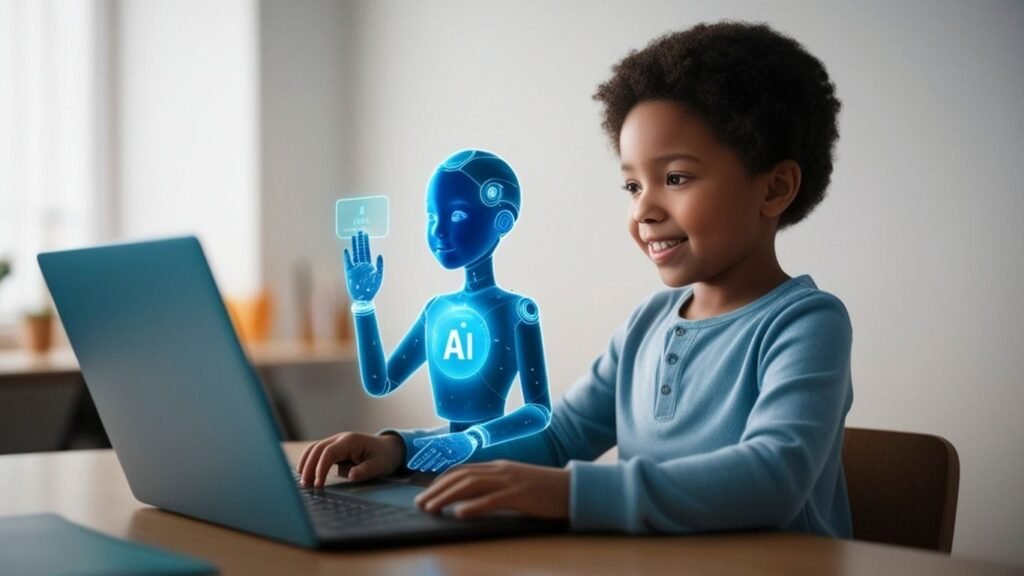
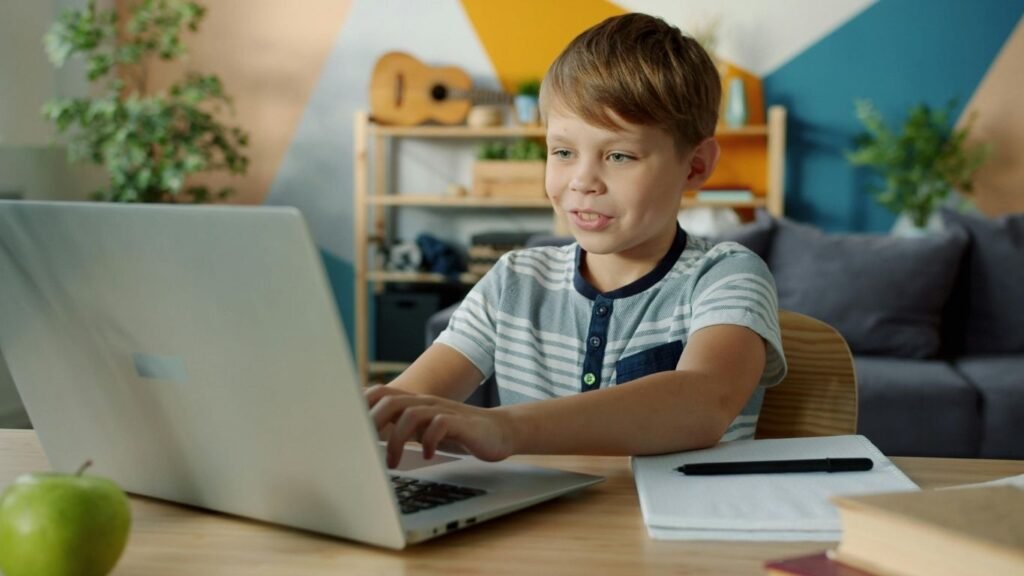
When your child comes home from school, what usually happens next? A quick snack, some screen time, maybe homework after a bit of delay—and before you know it, the day is over. As a parent, it’s natural to wonder if that time after school could be used in a better way without making your child feel tired or pressured. This is exactly why many parents are now choosing online classes for kids after school. Not to overload their children, but to give them a space where they can learn comfortably, ask questions freely, and actually enjoy the process. Let’s talk about how this works and why it’s becoming a smart choice for families. What Are Online Classes for Kids After School? In simple terms, these are structured learning sessions that children attend from home after their regular school hours. But they’re not meant to feel like another school shift. Good online classes for kids after school are designed to feel lighter, more interactive, and more focused on understanding rather than just finishing a syllabus. Instead of rushing through topics, kids get time to: Think Ask questions Participate in discussions It feels more like a guided conversation than a lecture. Why Many Parents Are Choosing This Option? Let’s be honest—every child doesn’t learn the same way in school. Some need more time, some need different explanations, and some just need a space where they feel comfortable speaking up. That’s where after-school learning helps. With online classes for kids after school, children can: Revisit topics they didn’t fully understand Build confidence without classroom pressure Stay mentally active without feeling stressed And the biggest benefit? They’re learning from home, in a familiar environment. It Doesn’t Feel Like “Extra Study” One concern many parents have is: “Will my child feel burdened?” That’s a valid question. The answer depends on how the classes are designed. When done right, online classes for kids after school don’t feel like extra work. They feel like a different kind of learning experience—one where: The pace is manageable The teacher is approachable The child feels comfortable participating Instead of forcing children to sit and listen, these sessions encourage them to be involved. How EduPodz Junior Approaches After-School Learning? At EduPodz Junior, the idea is simple: children learn better when they are relaxed and interested. The sessions are designed to be interactive and easy to follow. Teachers don’t just explain—they talk with the students. Kids are encouraged to share their thoughts, ask questions, and take part in the discussion. This approach works well because: Children don’t feel judged They’re not afraid to make mistakes They stay engaged for longer It’s closer to how children naturally learn—by talking, asking, and exploring. Skills Children Build Over Time Parents often look at marks and grades, but there’s more happening during these sessions. With regular participation in online classes for kids after school, children slowly develop: Better understanding of concepts Confidence in speaking Ability to think on their own Improved focus These are things that help not just in school, but in everyday situations too. Easy to Fit Into Daily Routine One of the biggest advantages is convenience. There’s no need to travel anywhere. No rushing through traffic. No adjusting your entire schedule. With online classes for kids after school, your child can simply log in from home at a fixed time. This makes it easier to maintain a routine without adding stress to your day. Even a few sessions a week can make a noticeable difference. What Should You Look for as a Parent? Not every program will suit your child, and that’s okay. The key is to choose something that matches their comfort level. Here are a few things worth paying attention to: Are the classes interactive or just one-way teaching? Does your child feel comfortable with the teacher? Is the pace suitable for your child? Do they look forward to attending the session? If your child finishes a class and says, “That was interesting,” you’re on the right track. Turning Free Time into Useful Time After-school hours don’t need to be packed with activities. Children also need time to relax. But a small portion of that time, when used well, can help them grow steadily. That’s what online classes for kids after school offer—a balance. Not too heavy, not too casual. Just enough to keep the learning going in a simple and consistent way. Final Thoughts Every parent wants their child to do well, but more importantly, to feel confident and capable. The right learning environment can make a big difference. When children are given time, attention, and a comfortable space to learn, they naturally improve. Online classes for kids after school are not about pushing children harder. They’re about supporting them in a way that feels manageable and positive. If you’re considering trying it out, start small, observe how your child responds, and take it from there. Sometimes, even a small change in routine can lead to better learning habits over time. FAQs About Online Classes for Kids After School: What Parents Need to Know What are online classes for kids after school? Online classes for kids after school are structured learning sessions that children attend from home once their regular school day is over. These classes focus on improving understanding, building skills, and giving children extra support in a relaxed environment. Are online classes for kids after school helpful? Yes, online classes for kids after school can be very helpful, especially for children who need extra attention or want to improve in certain subjects. They give kids more time to understand concepts and ask questions without the pressure of a classroom. How long should online classes for kids after school be? Ideally, online classes for kids after school should be between 45 minutes to 1 hour. This duration is enough to keep children engaged without making them feel tired after a full day at school. At what age can kids start online classes after school? Children can start online

Online Classes for Kids After School: A Smarter Way to Learn and Grow Read More »
Best Extracurricular Activities for Kids

Best Extracurricular Activities for Kids: A Guide for Parents to Choose What Truly Matters

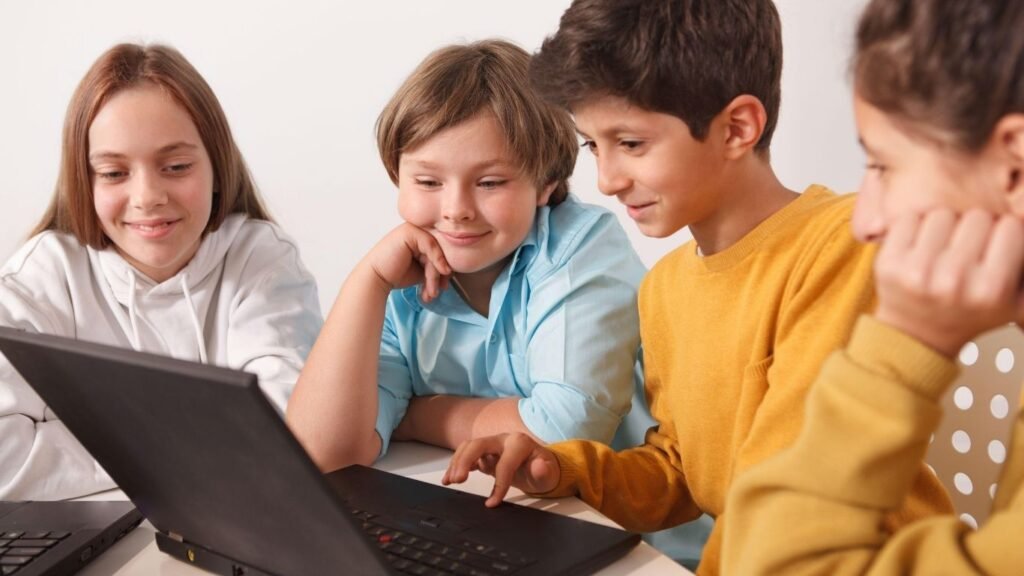
When parents search for the best extracurricular activities for kids, what they’re really asking is simple: “What will help my child grow, stay happy, and succeed?” If that sounds like you, you’re in the right place. Let’s walk through this together—no complicated jargon, just clear, practical guidance you can actually use. Why Extracurricular Activities Matter More Than You Think? Think of extracurricular activities as your child’s “real-world classroom.” School teaches academics, but activities outside the classroom help kids: Build confidence Improve social skills Discover hidden talents Learn discipline and time management Reduce screen time in a meaningful way At EduPodz Junior, the focus is exactly this—helping kids grow beyond textbooks in a fun, engaging, and structured way. How to Choose the Best Extracurricular Activities for Kids? Before jumping into a list, here’s something important: there is no one-size-fits-all activity. Instead, ask yourself: What does my child enjoy naturally? Are they more creative, active, or analytical? Do they prefer group settings or independent tasks? How much time can they realistically commit? The “best” activity is the one your child looks forward to—not the one that looks impressive on paper. 1. Creative Arts: Let Their Imagination Shine If your child loves drawing, music, or storytelling, creative activities are a great choice. Popular options: Drawing and painting Music (keyboard, guitar, singing) Dance classes Drama and theatre Why it works: Creative arts help kids express emotions, improve focus, and boost confidence. They also encourage originality—something that’s becoming more valuable every day. 2. Sports and Physical Activities: Build Strength and Discipline For energetic kids, sports are often the best extracurricular activities. Options to explore: Football or cricket Swimming Martial arts Gymnastics Yoga Benefits: Sports teach teamwork, resilience, and leadership. Plus, they help maintain physical health—something every parent wants. 3. STEM Activities: Prepare for the Future STEM (Science, Technology, Engineering, Math) activities are becoming increasingly popular—and for good reason. Examples: Coding classes Robotics Science experiments Math clubs Why parents love it: These activities improve problem-solving skills and logical thinking. They also introduce kids to future-ready skills in a fun way. At EduPodz Junior, STEM-based learning is designed to feel like play—not pressure. 4. Language and Communication Skills Strong communication skills can set your child apart for life. Activities include: Public speaking Creative writing Reading clubs Debate sessions What kids gain: Better vocabulary Confidence in speaking Improved listening skills If your child is shy, this is one of the best ways to help them open up gradually. 5. Life Skills Programs: The Real Game-Changer This is often overlooked—but incredibly powerful. Examples: Critical thinking workshops Emotional intelligence training Leadership programs Time management skills Why it matters: These are the skills schools don’t always teach—but life demands every day. Programs like those offered by EduPodz Junior focus heavily on these areas, helping kids become confident and independent thinkers. 6. Performing Arts: Confidence on Another Level If your child enjoys being in the spotlight, performing arts can be transformative. Options: Acting Dance performances Music recitals Key benefit: Standing on a stage teaches courage, expression, and self-belief—skills that last a lifetime. 7. Hobby-Based Activities: Learning Without Pressure Sometimes the best extracurricular activities are the simplest ones. Examples: Gardening Cooking Photography DIY crafts Why they’re great: These activities are relaxing and enjoyable, helping kids learn without feeling like they’re “studying.” Signs You’ve Chosen the Right Activity Not sure if something is working? Look for these signs: Your child is excited to attend They talk about what they learned They show improvement over time They feel proud of their achievements If an activity causes stress or resistance, it’s okay to reassess. The goal is growth—not pressure. Common Mistakes Parents Should Avoid Let’s be honest—sometimes we overdo it. Watch out for: Overloading your child with too many activities Choosing activities based on trends Comparing your child with others Forcing participation Remember, balance is key. Kids need time to relax, play, and just be kids. How EduPodz Junior Supports Your Child’s Growth? At EduPodz Junior, the approach is simple: learning should feel natural and enjoyable. What makes it different? Structured yet fun programs Focus on real-life skills Interactive and engaging sessions Supportive learning environment Whether your child is creative, analytical, or somewhere in between, there’s something designed just for them. Final Thoughts Choosing the best extracurricular activities for kids doesn’t have to be confusing. Start small. Observe your child. Try different options. And most importantly—listen to what they enjoy. Because at the end of the day, the right activity isn’t just about building skills—it’s about building a happy, confident child. If you’re ready to explore programs that combine fun with meaningful learning, EduPodz Junior is a great place to begin that journey. Frequently Asked Questions (FAQs) About the Best Extracurricular Activities for Kids What makes EduPodz Junior a good choice for extracurricular learning? EduPodz Junior focuses on making learning engaging, interactive, and skill-based. Their programs are designed to help kids grow in confidence, communication, and critical thinking—making them a strong option when exploring the best extracurricular activities for kids. How do I know if an activity is right for my child? You’ll notice positive signs like enthusiasm, consistent participation, and improvement over time. If your child enjoys the activity and feels proud of their progress, you’ve likely made the right choice. Can extracurricular activities help in my child’s future career? Absolutely. The best extracurricular activities for kids build essential life skills like leadership, communication, and creativity. These skills are valuable in any career path your child chooses later in life. Are online extracurricular activities effective for kids? Yes, when designed properly, online programs can be highly effective. Interactive platforms like EduPodz Junior offer engaging sessions that focus on real-life skills, making learning both fun and impactful. What are the benefits of extracurricular activities for kids? Some key benefits include: Improved confidence and self-esteem Better social and communication skills Enhanced creativity and critical thinking Stronger physical and mental health How many extracurricular activities should a child have? Ideally, 1–2 activities at a time are enough.

Best Extracurricular Activities for Kids: A Guide for Parents to Choose What Truly Matters Read More »

Benefits of Coding for Kids

Benefits of Coding for Kids: Why It Matters More Than Ever

If you’ve ever wondered whether coding is really worth your child’s time, you’re not alone. Many parents ask the same question: Is coding just for future programmers, or does it offer something more? The truth is, the benefits of coding for kids go far beyond learning how to write lines of code. It shapes the way children think, solve problems, and even communicate with the world around them. Let’s talk about it in a simple, real way—like we’re having a conversation over coffee. 1. Coding Builds Strong Problem-Solving Skills Think about how kids approach puzzles or games. They try, fail, adjust, and try again. Coding works in a very similar way. When children learn coding, they: Break big problems into smaller steps Learn how to fix mistakes (debugging) Develop patience and persistence This process strengthens their ability to think logically. And the best part? These skills aren’t limited to coding—they help in math, science, and everyday decision-making. At EduPodz Junior, coding is taught in a way that feels like play, not pressure. Kids naturally start thinking like problem-solvers without even realizing it. 2. Encourages Creativity and Imagination Many people assume coding is all about logic and structure. But here’s the surprising part—it’s also incredibly creative. Kids can: Design their own games Create animations and stories Build apps that reflect their ideas Instead of just consuming content, they start creating it. That shift—from passive to active learning—is powerful. Imagine your child saying, “I made this game myself!” That confidence boost is priceless. 3. Improves Focus and Patience Let’s be honest—keeping kids focused in today’s world of instant gratification isn’t easy. Coding helps with that. Why? Because it requires: Attention to detail Step-by-step thinking Trial and error When kids code, they learn that success doesn’t happen instantly. They begin to understand the value of effort and persistence. Over time, this builds patience—something that benefits them in school and life. 4. Prepares Kids for the Future We live in a digital world. From apps to smart devices, technology is everywhere. Learning coding early gives kids a head start in understanding how this world works. But here’s the important part—it’s not just about becoming a programmer. The benefits of coding for kids include: Digital literacy Understanding technology instead of just using it Confidence in navigating future careers Even if your child chooses a completely different career path, these skills will still be valuable. 5. Boosts Confidence and Independence Every time a child writes a piece of code and sees it work, something amazing happens—they feel capable. They start thinking: “I can build things.” “I can fix problems.” “I can learn anything.” That mindset shift builds confidence. At EduPodz Junior, kids are encouraged to explore and experiment. There’s no fear of failure—just learning and growing. 6. Enhances Communication Skills This might sound unexpected, but coding actually improves communication. How? Because kids learn to: Explain their ideas clearly Think step-by-step Collaborate on projects Coding teaches them how to express complex ideas in a simple way. That skill is useful in school presentations, teamwork, and even everyday conversations. 7. Makes Learning Fun and Engaging Let’s face it—kids learn best when they’re having fun. Coding, when taught the right way, feels like a game. Interactive platforms, visual tools, and project-based learning keep kids engaged. They don’t feel like they’re studying—they feel like they’re playing and creating. That’s exactly the approach used at EduPodz Junior. Learning is designed to be enjoyable, so kids stay curious and motivated. 8. Encourages Logical Thinking Coding teaches kids how to think in a structured way. They learn concepts like: Sequences (what comes first, next, and last) Conditions (if this happens, then do that) Patterns and repetition These concepts strengthen logical thinking, which helps in subjects like math and science. More importantly, it helps them make better decisions in everyday life. 9. Builds Resilience Through Failure Failure is often seen as something negative. But in coding, it’s part of the process. When a program doesn’t work, kids don’t give up—they debug it. They learn: Mistakes are normal Problems can be fixed Trying again leads to success This builds resilience, a skill that’s essential for long-term success. 10. Creates Opportunities for Early Innovation Kids today are not just learners—they can be creators and innovators. With coding, they can: Build simple apps Create games Solve small real-world problems Who knows? Your child might create something truly impactful. The key is giving them the tools and guidance early on. Why Choose EduPodz Junior? When it comes to learning coding, the environment matters just as much as the content. EduPodz Junior focuses on: Making coding simple and fun Teaching through real-life examples Encouraging creativity and exploration The goal isn’t just to teach coding—it’s to help kids grow into confident, curious thinkers. Final Thoughts So, what are the real benefits of coding for kids? It’s not just about technology. It’s about: Thinking smarter Solving problems Building confidence Preparing for the future Coding is a life skill. And the earlier kids start, the more naturally they develop these abilities. If you’re thinking about introducing your child to coding, now is a great time. With the right guidance—like what EduPodz Junior offers—it can become one of the most valuable learning experiences they’ll ever have. FAQs: Benefits of Coding for Kids What are the main benefits of coding for kids? The benefits of coding for kids include improved problem-solving skills, logical thinking, creativity, and confidence. Coding also helps children understand technology better and prepares them for future careers in a digital world. At what age should kids start learning coding? Kids can start learning coding as early as 5–7 years old using simple, visual tools. Early exposure helps them develop logical thinking and creativity in a fun and engaging way. Is coding difficult for kids to learn? Not at all. When taught in a simple and interactive way, coding becomes easy and enjoyable. Platforms like EduPodz Junior focus on making learning feel like play, so kids stay engaged without feeling overwhelmed.

Benefits of Coding for Kids: Why It Matters More Than Ever Read More »

Robotics vs Coding for Kids

Robotics vs Coding for Kids: Which One Should Your Child Learn First?

When parents start exploring future-ready skills for their children, one question almost always pops up: robotics vs coding for kids — which one is better? If you’ve been wondering the same, you’re not alone. It can feel a bit overwhelming at first, especially with so many programs, courses, and opinions out there. Let’s make this simple. Imagine we’re just having a friendly conversation about your child’s learning journey and what might suit them best. Understanding the Basics: Robotics vs Coding for Kids Before we compare, let’s quickly understand what each one actually means. Coding is the process of writing instructions that a computer can understand. Kids learn to create games, animations, apps, and more using programming languages designed for beginners. Robotics, on the other hand, combines coding with physical components. Kids not only write code but also see it come to life through robots that move, react, and perform tasks. So, in a way, coding is the “brain,” and robotics is the “brain + body.” Why Coding is Important for Kids? Coding is often the first step in a child’s tech journey, and for good reason. When kids learn coding, they develop: Logical thinking Problem-solving skills Creativity Patience and persistence The beauty of coding is that it doesn’t require any physical tools to get started. With just a computer and the right guidance, kids can begin creating things almost instantly. At EduPodz Junior, coding programs are designed to feel more like play than study. Kids build games, experiment, and learn through trial and error—without even realizing how much they’re learning. Why Robotics is Exciting for Kids? Now let’s talk about robotics—the part that often gets kids instantly hooked. Robotics takes coding a step further by adding a hands-on element. Instead of just seeing results on a screen, kids can watch their robot move, turn, or respond to commands. This makes learning: More interactive More engaging Easier to visualize For kids who enjoy building things or are naturally curious about how machines work, robotics can be incredibly exciting. Robotics vs Coding for Kids: Key Differences Let’s break this down in a simple way: 1. Learning Style Coding: Screen-based, ideal for kids who enjoy games, puzzles, and storytelling Robotics: Hands-on, perfect for kids who like building and experimenting 2. Complexity Coding: Easier to start, especially with beginner-friendly platforms Robotics: Slightly more complex as it combines hardware and software 3. Cost Coding: Usually more affordable since it requires minimal equipment Robotics: May involve additional cost for kits and components 4. Engagement Level Coding: Engaging through creativity and digital projects Robotics: Highly engaging due to physical interaction Which One Should Your Child Start With? Here’s the honest answer: it depends on your child. If your child: Loves storytelling, games, or animations → Start with coding Enjoys building, tinkering, or hands-on play → Try robotics However, you don’t always have to choose one over the other. In fact, the best approach is often starting with coding and then moving into robotics. This way, kids build a strong foundation before applying their skills in real-world scenarios. How EduPodz Junior Makes Learning Easy? At EduPodz Junior, the focus isn’t just on teaching skills—it’s about making learning enjoyable and meaningful. The programs are designed in a way that: Kids learn at their own pace Concepts are explained in simple, relatable ways Learning feels like fun, not pressure Whether your child is starting with coding or exploring robotics, they’re guided step-by-step in a supportive environment. And the best part? Kids don’t just learn—they create, experiment, and grow more confident with every session. Robotics vs Coding for Kids: Frequently Asked Questions What is the difference between robotics vs coding for kids? When we talk about robotics vs coding for kids, the main difference is how kids interact with technology. Coding focuses on writing instructions for computers, while robotics combines coding with physical machines. In robotics, kids can actually see their code come to life through moving robots. Which is better: robotics vs coding for kids? There isn’t a single “better” option in robotics vs coding for kids. It really depends on your child’s interests. Coding is great for building logic and creativity, while robotics is ideal for hands-on learners who enjoy building and experimenting. At what age should kids start learning coding or robotics? For robotics vs coding for kids, most children can start coding as early as 5–7 years old using beginner-friendly tools. Robotics is usually introduced a bit later, around 7–10 years old, as it involves both coding and hardware understanding. Is coding easier than robotics for kids? Yes, when comparing robotics vs coding for kids, coding is generally easier to start with. It doesn’t require extra equipment and helps kids build a strong foundation before moving on to robotics. Can kids learn robotics without coding? In the discussion of robotics vs coding for kids, coding is actually a key part of robotics. While some beginner kits use simple commands, understanding basic coding makes learning robotics much easier and more effective. When we talk about robotics vs coding for kids, the main difference is how kids interact with technology. Coding focuses on writing instructions for computers, while robotics combines coding with physical machines. In robotics, kids can actually see their code come to life through moving robots. There isn’t a single “better” option in robotics vs coding for kids. It really depends on your child’s interests. Coding is great for building logic and creativity, while robotics is ideal for hands-on learners who enjoy building and experimenting. For robotics vs coding for kids, most children can start coding as early as 5–7 years old using beginner-friendly tools. Robotics is usually introduced a bit later, around 7–10 years old, as it involves both coding and hardware understanding. Yes, when comparing robotics vs coding for kids, coding is generally easier to start with. It doesn’t require extra equipment and helps kids build a strong foundation before moving on to robotics. In the discussion of robotics vs coding for kids, coding

Robotics vs Coding for Kids: Which One Should Your Child Learn First? Read More »

Coding Classes Age Guide

Coding Classes Age Guide: Choosing the Right Learning Path for Your Child

If you’re a parent wondering when and how your child should start learning to code, you’re not alone. The phrase “coding classes age guide” might sound technical, but it really comes down to one simple question: What’s the right time for my child to begin coding, and what should they learn at each stage? Let’s walk through it together in a clear, friendly way—just like a conversation. At EduPodz Junior, the focus is on making coding approachable, fun, and age-appropriate. Because the truth is, coding isn’t just about computers—it’s about problem-solving, creativity, and building confidence. Why Coding Matters Early On? Before we jump into the age guide, it helps to understand why coding is important in the first place. Coding teaches kids how to think logically, break down problems, and create solutions. It also encourages creativity—kids aren’t just consuming technology; they’re learning how to build it. And no, your child doesn’t need to become a software engineer. Coding is becoming a basic skill, much like reading or math. Coding Classes Age Guide: What to Expect at Each Stage? Let’s break it down by age so you know exactly what works best at each level. Ages 5–7: Building Curiosity Through Play At this stage, kids are naturally curious and love exploring. This is the perfect time to introduce coding concepts—but not in a complicated way. Think of it less as “coding” and more as structured play. Children in this age group benefit from: Visual programming tools (drag-and-drop blocks) Games that teach sequencing and logic Story-based activities where they control characters The goal here is simple: understanding cause and effect. For example, when a child arranges blocks to make a character move, they begin to see how instructions work. They don’t need to worry about syntax or typing code. At EduPodz Junior, programs for this age focus on: Interactive storytelling Puzzle-solving Basic logic building It’s all about keeping it fun so kids associate coding with creativity—not pressure. Ages 8–10: Strengthening Logic and Creativity Now things start getting more interesting. Kids in this age group are ready to move beyond basic play and start building small projects. They can follow instructions better and enjoy challenges. This is where: Scratch-style programming shines Simple animations and games are introduced Kids begin to think step-by-step They start asking questions like: “What happens if I change this?” “How can I make my game better?” That curiosity is exactly what coding thrives on. At this stage, the focus shifts to: Problem-solving Debugging simple errors Creating mini-projects like games or stories EduPodz Junior encourages kids to experiment freely here. There’s no “wrong” way—just learning through doing. Ages 11–13: Transitioning to Real Coding Languages This is the stage where kids are ready to take a big step forward. They’ve already built a foundation in logic and creativity, so now they can begin learning real programming languages like Python or beginner-level web development. Here’s what changes: Typing actual code instead of dragging blocks Understanding basic syntax Creating functional projects (like simple apps or websites) At this age, kids also develop: Persistence (because debugging becomes real!) Analytical thinking Confidence in building something from scratch The teaching approach at EduPodz Junior ensures that this transition is smooth. Instead of overwhelming kids, lessons are broken down into manageable steps, with lots of encouragement along the way. Ages 14+: Building Skills for the Future Teenagers are capable of much more advanced work, and this is where coding becomes a powerful skill for future careers. At this stage, students can explore: Advanced Python or JavaScript App development Game development Data structures and algorithms (introduced simply) But more importantly, they begin working on real-world projects. This might include: Designing a website Building a game Solving practical problems with code EduPodz Junior focuses on helping teens not just learn—but apply their knowledge in meaningful ways. How to Choose the Right Coding Class? Now that you understand the coding classes age guide, the next question is: How do you choose the right program? Here are a few simple things to look for: 1. Age-Appropriate Curriculum A good program matches the child’s learning level—not just their age. It should feel neither too easy nor too overwhelming. 2. Interactive Learning Kids learn best by doing. Look for programs that include: Projects Games Hands-on activities 3. Supportive Environment Learning something new can be challenging. A good class encourages questions, celebrates small wins, and builds confidence. 4. Clear Progression The program should grow with your child—from beginner concepts to more advanced skills. EduPodz Junior is designed with all of this in mind, making it easier for parents to choose a structured yet flexible learning path. Common Questions Parents Ask Let’s quickly address a few common concerns. “Is my child too young to start coding?” Not at all. If your child can solve puzzles or follow instructions, they can start learning basic coding concepts. “Will coding be too difficult?” When taught correctly, coding feels like a game—not a chore. The key is starting at the right level. “How often should my child learn coding?” Consistency matters more than intensity. Even a few sessions per week can make a big difference. Final Thoughts The idea behind a coding classes age guide is not to rush your child—but to support them at the right time, in the right way. Every child learns differently. Some may jump ahead quickly, while others take their time. And that’s perfectly okay. What matters most is creating a positive learning experience where your child feels: Curious Confident Excited to explore At EduPodz Junior, the goal is simple: to turn learning into an engaging journey where kids don’t just understand coding—they enjoy it. So whether your child is just starting out or ready to dive deeper, there’s always a place to begin. FAQs: Coding Classes Age Guide What is a coding classes age guide? A coding classes age guide helps parents understand the right age for kids to start learning coding and what skills they should focus on at each stage.

Coding Classes Age Guide: Choosing the Right Learning Path for Your Child Read More »

Scratch vs Python: Which is Better for Kids?

Scratch vs Python: Which is Better for Kids?

If you’re a parent exploring coding for your child, you’ve probably asked this exact question: Scratch vs Python: Which is Better for Kids? Let’s make this simple, practical, and conversational—just like we’re figuring it out together. At EduPodz Junior, the goal isn’t just to teach kids coding—it’s to help them enjoy learning, build confidence, and grow step by step. So instead of asking “which is better,” the smarter question is: Which is better for your child right now? Let’s break it down. What is Scratch?  Think of Scratch as the LEGO version of coding. Instead of typing complicated code, kids drag and drop colorful blocks that snap together to create games, animations, and stories. It was designed by MIT specifically for children, which means it removes the biggest frustration beginners face—syntax errors. Why Scratch works so well: No typing required Instant visual results (kids see their work come alive) Encourages creativity (games, stories, animations) Focuses on logic instead of technical complexity Scratch helps children understand core programming concepts like loops, conditions, and variables—without overwhelming them.  In simple terms: Scratch builds thinking skills before coding skills. What is Python?  Now let’s talk about Python. Python is a real-world programming language used by professionals in fields like AI, web development, and data science.  Unlike Scratch, Python is text-based. Kids actually type code, which means: They learn real programming syntax They can build advanced applications They gain skills used in real careers Why Python is powerful: Used by top companies and industries Beginner-friendly compared to other coding languages Great for long-term skill development In simple terms: Python turns ideas into real-world applications. Scratch vs Python: Key Differences  Let’s compare them in a way that’s easy to understand: Feature Scratch Python Learning Style Visual (drag-and-drop) Text-based coding Difficulty Very easy Moderate Best Age 6–12 years 10+ years Focus Logic & creativity Real coding skills Output Games, animations Apps, AI, automation The biggest difference?Scratch teaches “how to think,” Python teaches “how to build.” So… Which is Better for Kids? Here’s the honest answer: Neither is “better.” They are part of a journey. Most experts agree on this learning path: Start with Scratch Move to Python later Why? Because jumping straight into Python can overwhelm beginners—especially younger kids. Syntax errors, typing mistakes, and abstract concepts can quickly lead to frustration.  On the other hand, starting with Scratch builds confidence and keeps learning fun. When Should Kids Start with Scratch? Scratch is ideal if your child: Is under 10–12 years old Has never coded before Enjoys games, art, or storytelling Learns better visually Kids can start creating projects within minutes, which keeps them motivated and curious. This early success is important—it builds a “I can do this!” mindset. When Should Kids Move to Python? Python becomes the better choice when your child: Understands basic coding concepts Is ready for typing code Wants to build more advanced projects Shows curiosity about “real programming” A good sign?When kids start asking: “How do real programmers code?” That’s your cue to introduce Python. The Biggest Mistake Parents Make Let’s clear something important. Mistake: Starting Python too earlyMistake: Staying in Scratch too long Both can slow down learning. Too early → frustration Too late → boredom The key is timing. At EduPodz Junior, structured learning paths help children transition at the right moment—so they stay engaged without feeling overwhelmed. Why Scratch + Python Together is the Best Approach Instead of choosing one, think of them as a team. Scratch builds: Logical thinking Creativity Confidence Python builds: Real coding skills Problem-solving depth Career-ready abilities Research and teaching experience show that kids who start with Scratch learn Python faster and more easily later.  That’s because they already understand the “why”—they just learn the “how.” Real-Life Example  Let’s say your child wants to create a game. In Scratch → they drag blocks and see characters move instantly In Python → they write code to control behavior step by step Scratch feels like play.Python feels like building something real. Both are valuable—just at different stages. Final Answer: Scratch vs Python—Which is Better for Kids? Here’s the simplest answer: Scratch is better for starting. Python is better for growing. So instead of choosing one over the other, focus on this path: Scratch → Confidence → Python → Skills → Future Opportunities A Better Way to Think About It If your child is just starting:Go with Scratch If your child is ready for more:Move to Python If you’re unsure:Follow a guided learning path (like the one offered by EduPodz Junior) Final Thoughts Coding isn’t just about learning a language—it’s about building a mindset. Scratch makes kids curious Python makes kids capable And when both are used the right way, something powerful happens: Kids don’t just learn to code… They learn to create, think, and solve problems confidently And that’s the real goal. FAQs: Scratch vs Python: Which is Better for Kids? What is the main difference between Scratch and Python? The biggest difference lies in how kids interact with coding. Scratch uses a drag-and-drop visual interface, making it easy for beginners to create projects without typing. Python, on the other hand, is a text-based programming language where kids write actual code. In simple terms, Scratch focuses on understanding logic, while Python focuses on applying real coding skills. Scratch vs Python: Which is better for kids who are beginners? For absolute beginners, Scratch is usually the better choice. It removes the complexity of syntax and allows kids to focus on learning how coding works. Once they feel confident and understand basic concepts, transitioning to Python becomes much smoother. At what age should kids start learning Scratch or Python? Scratch is ideal for kids aged 6 to 12 years, especially those new to coding. Python is better suited for kids aged 10 and above, depending on their comfort level with typing and understanding structured logic. However, every child learns differently, so readiness matters more than age. Can kids learn Python without learning Scratch first? Yes, they can—but it’s not

Scratch vs Python: Which is Better for Kids? Read More »

Coding Learning Roadmap

Coding Learning Roadmap Made Easy: A Practical Guide for Young Learners

If you’ve ever thought about getting into coding but didn’t know where to start, you’re not alone. The internet is full of resources, tutorials, and advice—but that can actually make things more confusing. What you really need is a clear, simple coding learning roadmap that guides you step by step. Let’s walk through it together in a way that feels less like a lecture and more like a conversation. Why You Need a Coding Learning Roadmap? Imagine trying to build a house without a plan. You might have all the tools, but without direction, things quickly fall apart. Learning to code is no different. A well-structured coding learning roadmap helps you: Stay focused without jumping randomly between topics Build skills in the right order Avoid feeling overwhelmed Track your progress clearly At EduPodz Junior, the idea is simple—learning should feel natural, structured, and actually enjoyable. Step 1: Understand Why You Want to Learn Coding Before you even write your first line of code, ask yourself a simple question: Why do I want to learn coding? Your answer shapes your roadmap. Want to build websites? → Focus on web development Interested in games? → Learn game development basics Curious about AI or data? → Explore Python and data science There’s no “one-size-fits-all” path here. The best coding learning roadmap is the one that fits your goals. Step 2: Start with the Basics (Don’t Skip This) A lot of beginners make the mistake of rushing into advanced topics. But coding is like learning a language—you need the basics first. Start with: Variables (storing data) Data types (numbers, text, etc.) Conditional statements (if/else) Loops (repeating actions) Functions (reusable code blocks) Pick a beginner-friendly language like Python or JavaScript. They’re easier to read and widely used. Think of this stage as learning the alphabet before writing sentences. Step 3: Practice More Than You Learn Here’s something most people don’t realize: watching tutorials is not the same as coding. You can understand everything and still struggle to write code yourself. So, for every 1 hour of learning, spend at least: 2 hours practicing Solving small problems Experimenting with your own ideas This is where real growth happens. A strong coding learning roadmap always includes consistent practice. Step 4: Build Small Projects Early Don’t wait until you “feel ready.” Start building small projects as soon as you know the basics. Try things like: A simple calculator A to-do list A number guessing game A basic website These projects help you: Apply what you’ve learned Understand real-world usage Build confidence At EduPodz Junior, project-based learning is key because it turns theory into something real. Step 5: Learn How to Think Like a Programmer Coding isn’t just about syntax—it’s about problem-solving. Start developing these habits: Break big problems into smaller parts Think step-by-step Debug patiently when things don’t work You’ll make mistakes. Everyone does. The difference is learning how to fix them. That’s when coding starts to feel less like memorizing and more like thinking. Step 6: Explore a Specialization Once you’re comfortable with basics and small projects, it’s time to go deeper. Here are a few paths you can explore: Web Development Frontend (what users see) Backend (server-side logic) App Development Mobile apps for Android or iOS Game Development Using tools like game engines Data Science & AI Working with data, automation, and machine learning Your coding learning roadmap should now become more focused based on what excites you most. Step 7: Learn Version Control (Git) This might sound technical, but it’s actually very useful. Version control helps you: Track changes in your code Collaborate with others Save different versions of projects Even beginners should learn basic Git commands early. It’s a small step that makes a big difference later. Step 8: Join a Learning Community Coding alone can feel frustrating sometimes. That’s why being part of a community helps. You can: Ask questions Share your projects Learn from others Stay motivated Platforms like EduPodz Junior focus on guided learning and support, making the journey smoother—especially for young learners. Step 9: Build Real Projects Now comes the exciting part—creating something meaningful. Instead of just practice projects, try: A personal website A small app A game A tool that solves a real problem This is where your coding learning roadmap turns into actual skills you can showcase. Step 10: Keep Improving (Coding Never Stops) Here’s the truth—there’s no “end” to learning coding. Technology keeps evolving, and so should you. Stay updated by: Learning new tools Exploring advanced topics Reading documentation Trying new challenges The goal isn’t perfection—it’s progress. Common Mistakes to Avoid Let’s quickly talk about what not to do: Jumping between too many languages Watching tutorials without practicing Comparing yourself to others Giving up too early Your journey is your own. A good coding learning roadmap keeps you focused and consistent. Final Thoughts Learning to code doesn’t have to feel complicated. With the right approach, it can actually be fun and rewarding. A clear coding learning roadmap gives you direction, but your effort brings it to life. Start small. Stay consistent. Build things. Make mistakes. Learn from them. And most importantly—enjoy the process. At EduPodz Junior, the focus is on making coding simple, engaging, and accessible for learners at every stage. Because when learning feels right, everything else follows. So, where are you starting your coding journey today? Frequently Asked Questions About the Coding Learning Roadmap What is a coding learning roadmap? A coding learning roadmap is a step-by-step plan that helps you learn programming in the right order. Instead of feeling lost, it gives you clear direction—from basics like variables and loops to advanced topics and real projects. Why is a coding learning roadmap important for beginners? A coding learning roadmap keeps beginners focused and prevents confusion. Without it, you might jump between topics and feel overwhelmed. With a roadmap, you learn gradually and build confidence along the way. How do I start a coding learning roadmap with no experience? Start your coding learning roadmap

Coding Learning Roadmap Made Easy: A Practical Guide for Young Learners Read More »

Coding Classes vs Self Learning

Coding Classes vs Self Learning: Which Is the Better Way to Learn Coding?

If you’re a parent or a young learner exploring the world of programming, you’ve probably come across a common question: coding classes vs self learning—which one is better? The truth is, both paths can lead you to success in coding. But the right choice depends on how you learn best, your goals, and the kind of support you need along the way. In this blog, we’ll break it down in a simple, friendly way so you can make the best decision for yourself or your child. At EduPodz Junior, we believe learning coding should feel exciting, structured, and confidence-building—especially for kids and beginners. So let’s explore both options in detail. What Does Self Learning Coding Mean? Self learning coding means learning programming on your own using online videos, free websites, books, or tutorials. You choose what to learn, when to learn, and how fast to go. Some popular platforms include YouTube tutorials, coding websites, and free courses. Advantages of Self Learning Self learning sounds attractive because: It is often free or low cost You can learn at your own pace You can explore topics that interest you You build independence and problem-solving skills For motivated learners, this flexibility is powerful. You can jump into Python today, explore game development tomorrow, and try web design next week. Challenges of Self Learning However, self learning also comes with challenges: No structured learning path Easy to feel confused or lost No teacher to correct mistakes Lack of feedback on progress Hard to stay consistent, especially for kids Many beginners start strong but eventually feel stuck when concepts get difficult. Without guidance, it’s easy to lose motivation. What Are Coding Classes? Coding classes are structured programs where students learn programming step-by-step under the guidance of a teacher or mentor. These classes can be online or offline and are designed with a proper curriculum, especially for beginners and children. For example, platforms like EduPodz Junior focus on making coding fun, interactive, and easy to understand for young learners. Advantages of Coding Classes Coding classes offer a guided learning experience: Structured curriculum from basics to advanced Step-by-step learning path Real-time feedback from instructors Doubt solving support Peer interaction and group learning Projects that build confidence Instead of guessing what to learn next, students follow a clear roadmap. Challenges of Coding Classes Even though coding classes are helpful, they may have a few limitations: Fixed schedule (less flexibility) May require financial investment Learning pace is set by the course structure But for most beginners, especially children, these limitations are often outweighed by the benefits. Coding Classes vs Self Learning: Key Differences Let’s compare both approaches in a simple way: 1. Structure Self Learning: No fixed structure, learner decides everything Coding Classes: Step-by-step guided structure 👉 Winner: Coding classes for beginners 2. Guidance Self Learning: No teacher support Coding Classes: Expert mentors available 👉 Winner: Coding classes 3. Flexibility Self Learning: Fully flexible Coding Classes: Scheduled learning 👉 Winner: Self learning 4. Motivation Self Learning: Depends on self-discipline Coding Classes: External motivation from teachers and peers 👉 Winner: Coding classes 5. Cost Self Learning: Often free Coding Classes: Usually paid 👉 Winner: Self learning 6. Learning Speed Self Learning: Can be slow due to confusion Coding Classes: Faster learning with support 👉 Winner: Coding classes Which One Is Better for Kids? When it comes to children or beginners, the answer becomes clearer. Kids usually need: Clear explanations Interactive learning Regular encouragement Immediate help when stuck That’s why coding classes are often more effective for young learners compared to self learning. Self learning can be fun for exploration, but without guidance, kids may quickly lose interest or feel overwhelmed. Why Coding Classes Build Stronger Foundations? One of the biggest advantages of coding classes is that they build strong basics. In coding, fundamentals matter a lot. If basics are unclear, advanced topics become confusing later. Coding classes ensure: Proper understanding of logic Step-by-step skill building Regular practice through projects Confidence in problem-solving This is especially important for long-term success in programming. When Self Learning Can Work Well? Self learning is not bad—it just works best in specific situations. It is ideal when: You already understand basics You are highly self-disciplined You enjoy exploring independently You want to learn specific tools quickly For example, a teenager who already knows programming basics might use self learning to explore game development or AI tools. Best Strategy: Combine Both Approaches Here’s a secret many successful learners follow: 👉 They don’t choose just one—they combine both. You can: Learn fundamentals through coding classes Practice extra skills through self learning Build projects using both guidance and creativity This combination gives structure + flexibility, which is the best of both worlds. Why EduPodz Junior Is a Great Starting Point? For parents looking for a reliable place to start their child’s coding journey, EduPodz Junior offers a beginner-friendly environment designed specifically for kids. What makes it helpful: Easy-to-understand lessons Fun, interactive coding activities Structured learning path Supportive mentors Focus on creativity and logic building Instead of just teaching coding as theory, the approach focuses on learning by doing—so kids actually build projects and see results. This keeps learning engaging and helps children stay interested long-term. Final Thoughts: Coding Classes vs Self Learning So, coding classes vs self learning—which one should you choose? Here’s a simple answer: If you are a beginner or a child → Coding classes are better If you already know basics and want flexibility → Self learning works well If you want the best results → Combine both approaches At the end of the day, the goal is not just to learn coding, but to understand it deeply and enjoy the process. With the right guidance, learning coding becomes less confusing and more exciting—and that’s exactly what structured programs like EduPodz Junior aim to achieve. If you’re starting your coding journey today, remember: the best path is the one that keeps you consistent, curious, and confident. FAQs on Coding Classes vs Self Learning What

Coding Classes vs Self Learning: Which Is the Better Way to Learn Coding? Read More »

Best Coding Languages for Kids

Best Coding Languages for Kids: A Fun and Easy Guide to Start Your Child’s Coding Journey

When parents start thinking about introducing their children to coding, one big question comes up almost immediately: what are the best coding languages for kids? It can feel overwhelming at first—there are so many options, and not all of them are designed with young learners in mind. Let’s make this simple. Imagine you and I are having a chat over coffee, and you’ve just asked me this exact question. I’d tell you this: the best coding language for kids isn’t necessarily the most powerful one—it’s the one that makes learning fun, builds confidence, and grows with your child. At EduPodz Junior, that’s exactly the philosophy behind teaching coding. It’s not about memorizing syntax or becoming a tech genius overnight. It’s about sparking curiosity, encouraging creativity, and helping kids think logically in a way that feels natural. Why Coding Matters for Kids Today? Before we jump into the best coding languages for kids, let’s quickly talk about why coding matters in the first place. Coding is no longer just for engineers. It’s a life skill—like reading or math. It helps kids: Think logically Solve problems creatively Build patience and resilience Express ideas in a digital world And the earlier they start, the more comfortable they become. What Makes a Coding Language “Kid-Friendly”? Not all programming languages are built the same. When choosing the best coding languages for kids, here’s what really matters: Simplicity: Easy to understand and start with Visual learning: Drag-and-drop or interactive elements Instant results: Kids love seeing what they create right away Fun factor: Games, animations, and creativity keep them engaged Now let’s explore the best options. 1. Scratch – The Perfect First Step If your child is just starting out, Scratch is often considered one of the best coding languages for kids. Instead of typing code, kids drag and drop colorful blocks to create animations, stories, and games. It feels more like playing than learning—and that’s exactly why it works. Why kids love it: No typing errors to worry about Visual and interactive Immediate results Best for: Ages 6–12 At EduPodz Junior, Scratch is often where the journey begins because it builds confidence quickly. 2. Python – Simple Yet Powerful Once kids are ready to move beyond visual coding, Python is a fantastic next step. Python is known for its clean and readable syntax. It feels almost like writing English, which makes it one of the best coding languages for kids transitioning to real programming. Why it stands out: Easy to read and write Widely used in real-world applications Great for building games, apps, and even AI basics Best for: Ages 10+ Python grows with your child. What starts as simple programs can eventually turn into advanced projects. 3. Blockly – Learning Through Logic Blockly is similar to Scratch but slightly more structured. It uses block-based coding to teach logic and programming concepts. What makes Blockly interesting is that it can show the actual code behind the blocks, helping kids understand how visual coding connects to real programming languages. Why it works: Smooth transition from visual to text coding Reinforces logical thinking Beginner-friendly Best for: Ages 7–12 4. JavaScript – Making the Web Come Alive If your child is interested in websites or interactive content, JavaScript is one of the best coding languages for kids to explore. It’s the language behind most interactive web pages. Kids can create animations, quizzes, and simple games directly in the browser. Why kids enjoy it: Instant visual output Fun web-based projects Creative possibilities Best for: Ages 12+ 5. Lua – Coding Through Games Lua is often used in game development platforms, which makes it very appealing to kids who love gaming. If your child enjoys building or modifying games, Lua can be a great way to learn coding without feeling like they’re studying. Why it’s engaging: Lightweight and simple Used in game environments Encourages creativity Best for: Ages 11+ 6. Swift – For Future App Creators For kids interested in building mobile apps, Swift is a great introduction. It’s designed by Apple and is beginner-friendly compared to many other app development languages. Why it’s worth exploring: Clean and modern syntax Great for iOS app development Interactive learning tools available Best for: Ages 12+ So, Which Is the Best Coding Language for Kids? Here’s the honest answer: it depends on your child. If they are just starting:👉 Go with Scratch or Blockly If they’re ready for real coding:👉 Try Python If they love websites or games:👉 Explore JavaScript or Lua The key is not to rush. Coding is a journey, not a race. How EduPodz Junior Makes Coding Easy? At EduPodz Junior, the approach is simple—make learning feel like a conversation, not a classroom lecture. Instead of overwhelming kids with theory, the focus is on: Hands-on projects Interactive sessions Real-world problem solving Step-by-step guidance Kids don’t just learn to code—they learn how to think. And that’s the real goal. Tips for Parents Getting Started If you’re still wondering how to begin, here are a few simple tips: 1. Start smallDon’t worry about choosing the “perfect” language. Just start somewhere. 2. Focus on funIf your child enjoys it, they’ll stick with it. 3. Be patientLearning coding takes time, just like any other skill. 4. Encourage creativityLet them build games, stories, or anything they imagine. Final Thoughts Choosing the best coding languages for kids doesn’t have to be complicated. Think of it like learning a new language. You wouldn’t start with complex grammar—you’d start with simple words, conversations, and practice. The same applies to coding. Start with something fun and easy. Let your child explore. Let them make mistakes. Let them create. Because in the end, coding isn’t just about technology—it’s about building confidence, creativity, and a mindset that will help them in every part of life. And with the right guidance—like what EduPodz Junior offers—that journey becomes not just educational, but truly enjoyable. Best Coding Languages for Kids: Frequently Asked Questions (FAQs) for Parents What are the best coding languages for kids

Best Coding Languages for Kids: A Fun and Easy Guide to Start Your Child’s Coding Journey Read More »

Top 10 Benefits of Coding for Kids

Top 10 Benefits of Coding for Kids | Learn, Create & Grow with EduPodz

If you’ve ever wondered whether coding is really worth it for kids, you’re not alone. Many parents feel unsure about where to start or why coding even matters at a young age. But here’s the truth—coding isn’t just about computers or becoming a programmer. It’s about how kids think, solve problems, and express their creativity in today’s digital world. At EduPodz, we believe learning should feel exciting, not overwhelming. So let’s talk about the Top 10 Benefits of Coding for Kids in a way that actually makes sense—and feels like a conversation you’d have over coffee. 1. Builds Strong Problem-Solving Skills Think about coding like solving a puzzle. Kids are given a challenge, and they need to figure out step-by-step how to solve it. When children learn to code, they don’t just guess—they learn how to break big problems into smaller, manageable pieces. This skill doesn’t just help in coding; it helps in math, science, and even everyday decision-making. 2. Encourages Logical Thinking Coding teaches kids to think in a structured way. They start understanding patterns, sequences, and cause-and-effect relationships. For example, if something doesn’t work in their code, they learn to ask: What went wrong? Where did it go wrong? How can I fix it? That kind of logical thinking becomes second nature over time. 3. Boosts Creativity A lot of people assume coding is technical and rigid—but it’s actually incredibly creative. Kids can build games, animations, apps, or even their own websites. They can turn their ideas into something real and interactive. It’s like giving them a digital canvas where they can create anything they imagine. At EduPodz, we love seeing kids go from “I don’t know how” to “Look what I built!” 4. Improves Focus and Patience Let’s be honest—kids today are surrounded by distractions. Coding helps slow things down in a good way. When kids code, they need to concentrate. They try, fail, fix, and try again. This process naturally builds patience and attention to detail. And the best part? They don’t even realize they’re learning these skills—they’re just having fun solving challenges. 5. Prepares Kids for Future Careers We don’t know exactly what jobs will exist in the future, but we do know one thing—technology will be a big part of it. Learning coding early gives kids a head start. Whether they become engineers, designers, entrepreneurs, or something entirely different, coding gives them a strong foundation. It’s not about forcing a career—it’s about opening doors. 6. Enhances Academic Performance Coding connects with subjects like math, science, and even language. For example: Math skills improve through logic and sequencing Science concepts become easier to understand Writing skills improve when kids explain their code or tell stories through projects Many parents notice that once kids start coding, they become more confident learners overall. 7. Builds Confidence There’s something powerful about creating something from scratch. When a child builds their first game or animation, it gives them a huge confidence boost. They start believing in their ability to learn and create. That confidence carries into other areas of life—school, hobbies, and social interactions. 8. Teaches Resilience and Growth Mindset Coding doesn’t always work the first time—and that’s actually a good thing. Kids learn that mistakes are part of the process. Instead of giving up, they learn to debug, fix errors, and keep going. This builds a growth mindset—the belief that abilities can improve with effort. And honestly, that’s one of the most valuable life skills any child can have. 9. Encourages Collaboration and Communication Coding isn’t always a solo activity. Kids often work on projects together, share ideas, and help each other fix problems. They learn how to: Explain their thinking Listen to others Work as a team These communication skills are essential, no matter what path they choose later in life. 10. Makes Learning Fun and Engaging Let’s face it—kids learn best when they’re enjoying what they’re doing. Coding turns learning into an interactive experience. Instead of just consuming content, kids create it. They become active participants, not passive learners. At EduPodz, we focus on making coding feel like play, not pressure. Because when kids enjoy learning, they stick with it. Why Choose EduPodz for Your Child? We understand that starting something new can feel overwhelming—for both kids and parents. That’s why EduPodz focuses on: Easy-to-follow lessons Interactive and engaging activities A supportive learning environment Real-world projects kids can be proud of We don’t just teach coding—we help kids build confidence, creativity, and curiosity. Final Thoughts So, when you think about the Top 10 Benefits of Coding for Kids, it’s not just about learning a technical skill. It’s about helping your child: Think better Create more Solve problems Build confidence Prepare for the future And the best part? They can start at any age. If you’ve been on the fence about coding, consider this your sign to explore it. Your child doesn’t need to be a “tech genius” to begin—they just need curiosity and the right guidance. And that’s exactly what we’re here for at EduPodz. Top 10 Benefits of Coding for Kids – Frequently Asked Questions What are the top 10 benefits of coding for kids? The top 10 benefits of coding for kids include improved problem-solving skills, logical thinking, creativity, better focus, and stronger academic performance. Coding also builds confidence, teaches patience, encourages teamwork, and prepares kids for future careers—all while making learning fun and interactive. At what age should kids start learning coding? Kids can start learning coding as early as 5–7 years old with simple, visual programming tools. The key is to keep it fun and engaging so they enjoy the process while gradually building skills. How does coding help in a child’s overall development? Coding supports overall development by enhancing cognitive skills, boosting creativity, and improving logical reasoning. It also helps kids develop a growth mindset, where they learn from mistakes and keep trying until they succeed. Is coding difficult for kids to learn? Not at all! When taught in a

Top 10 Benefits of Coding for Kids | Learn, Create & Grow with EduPodz Read More »